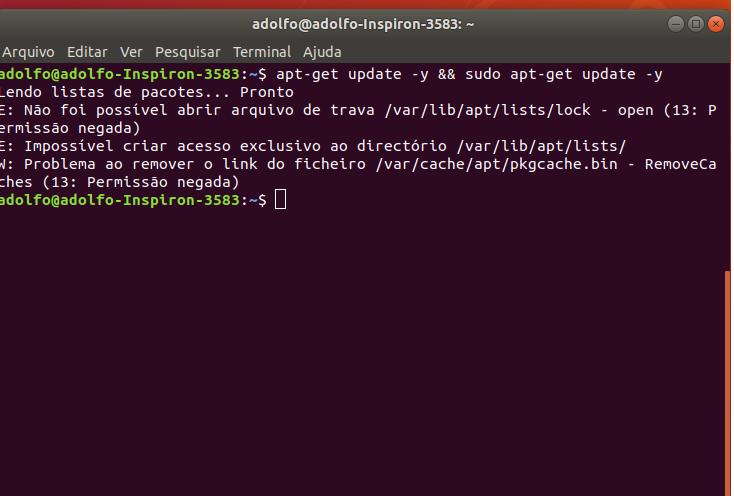
sudo rm /var/lib/apt/lists/lock
sudo rm /var/lib/dpkg/lock
sudo apt-get update
sudo apt-get upgrade
-depois reinicio maquina
sudo -i
apt update
apt upgrade
sudo -i apt update apt upgrade


$ update-java-alternatives -l
java-1.11.0-openjdk-amd64      1101       /usr/lib/jvm/java-1.11.0-openjdk-amd64
java-1.8.0-openjdk-amd64       1081       /usr/lib/jvm/java-1.8.0-openjdk-amd64
java-7-oracle 1082 /usr/lib/jvm/java-7-oraclesudo apt install openjdk-8-jdkjava -version

wget http://downloadirpf.receita.fazenda.gov.br/irpf/2020/irpf/arquivos/IRPF2020Linux-x86v1.5.bin -O irpf2020.binwget http://downloadirpf.receita.fazenda.gov.br/irpf/2020/irpf/arquivos/IRPF2020Linux-x86_64v1.5.bin -O irpf2020.binchmod a+x irpf2020.bin./irpf2020.bin

sudo pip install --upgrade pip virtualenv setuptoolsThe directory '/home/adolfo/.cache/pip/http' or its parent directory is not owned by the current user and the cache has been disabled. Please check the permissions and owner of that directory. If executing pip with sudo, you may want sudo's -H flag.
$ sudo apt-get update
$ sudo apt-get upgrade
$ sudo apt-get install libssl-dev openssl libreadline-dev
$ cd ~
$ wget https://www.python.org/ftp/python/3.6.1/Python-3.6.1.tgz
$ tar zxf Python-3.6.1.tgz
$ cd Python-3.6.1
$ ./configure
$ make
$ sudo make installps aux | grep apt

sudo kill PIDNeste caso matei o primeiro processo 18433 e pude atualizar o sistema normalmente.,
